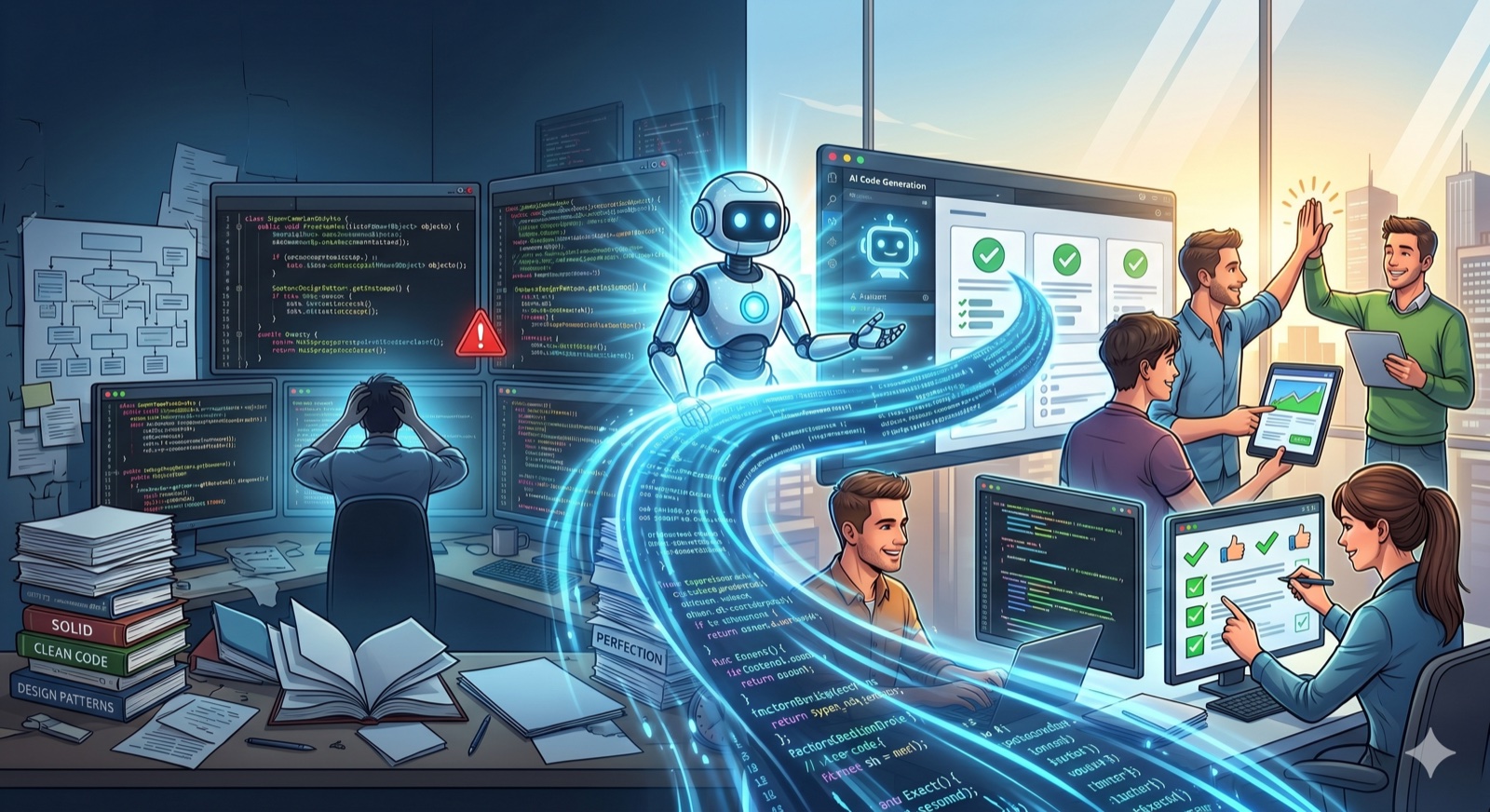
AI changed the way I build software
It’s been a while since I last wrote most of my code by hand. I describe what I want, I review it, I correct the course, and the AI executes. That changed everything: what used to take an afternoon of typing now takes minutes. Shipping stopped being a question of how many hours I can stay in the chair and became a question of how well I can steer the machine.
But every gain in speed exposes a new bottleneck. And mine showed up fast.
The bottleneck that took its place
A coding agent has no memory between sessions. When I close the terminal and open it again tomorrow, it has no idea what we decided yesterday, why we decided it, what was already done and what was missing. Every session starts from zero.
While the work was small, I could hold all of that in my head. But once the AI started shipping for real, I found myself with several fronts open at the same time — and the hardest part of my day was no longer writing code. It was remembering the state of things. What was decided, what depended on what, what had already been done and what had been left half-finished.
In other words: documentation stopped being a “later” luxury and became the thing that keeps the project moving. Without it, the AI hallucinates — it rewrites what already existed, ignores a decision we made last week, runs things in the wrong order. The quality of what it delivers came to depend directly on how well the work is organized and recorded.
I tried almost everything — and they all hit the same wall
I didn’t jump straight into reinventing the wheel. I spent months trying the plugins and skills the community had been building precisely to solve this: superpowers, GSD (get-shit-done), cavekit, among others.
They all have merit. They’re well-thought-out projects, full of good ideas about how to give process and discipline to an agent. I learned a lot from each one. But in the end, they all ran into the same underlying problem: the way they stored what the AI “knows” was a pile of spec files in Markdown committed to the repository.
And in practice, that hurts in two ways:
- It pollutes git. Each plan turns into a handful of
.mdfiles that ship alongside the code. The history fills up with process noise, and the repo carries a layer of paperwork that isn’t, in fact, the product. - It goes stale fast. A spec is a snapshot of a moment. The next day reality has already moved on, but the file is still there, confidently asserting things that no longer hold. Then the AI reads an old plan as if it were true, and the hallucination only gets worse.
I wanted the opposite of a static file: I wanted living state the AI would query and update as the work moves — not yet another document aging alone in the corner of the repo.
What if the board belonged to the AI itself?
That’s when the idea hit me. Every software team has already solved the “what to do, why, and in what order” problem — it’s called a task board. Jira, Trello, Linear. Why wouldn’t the AI have its own?
Except with one important inversion: this board would be used mostly by the AI itself, over MCP (the protocol that lets the agent query and edit external tools). The agent reads the active sprint, picks the next card, records the decisions, attaches the commit, closes the task. And I — the human — step in through the interface mainly to follow along and review: see what’s being done in real time, drag cards, leave a comment it reads next session.
It’s not the AI using a human’s tool. It’s a tool designed for the AI, with a window for the human to look inside.
That’s how claude-organizer was born
claude-organizer is what came out of that idea. It’s not just a board: it’s an ecosystem around organizing the agent’s work. It has projects, sprints, stories and sub-tasks, blockers, tags, priorities — and a Nuxt interface that mirrors all of it in real time, updating over WebSocket while the AI works.
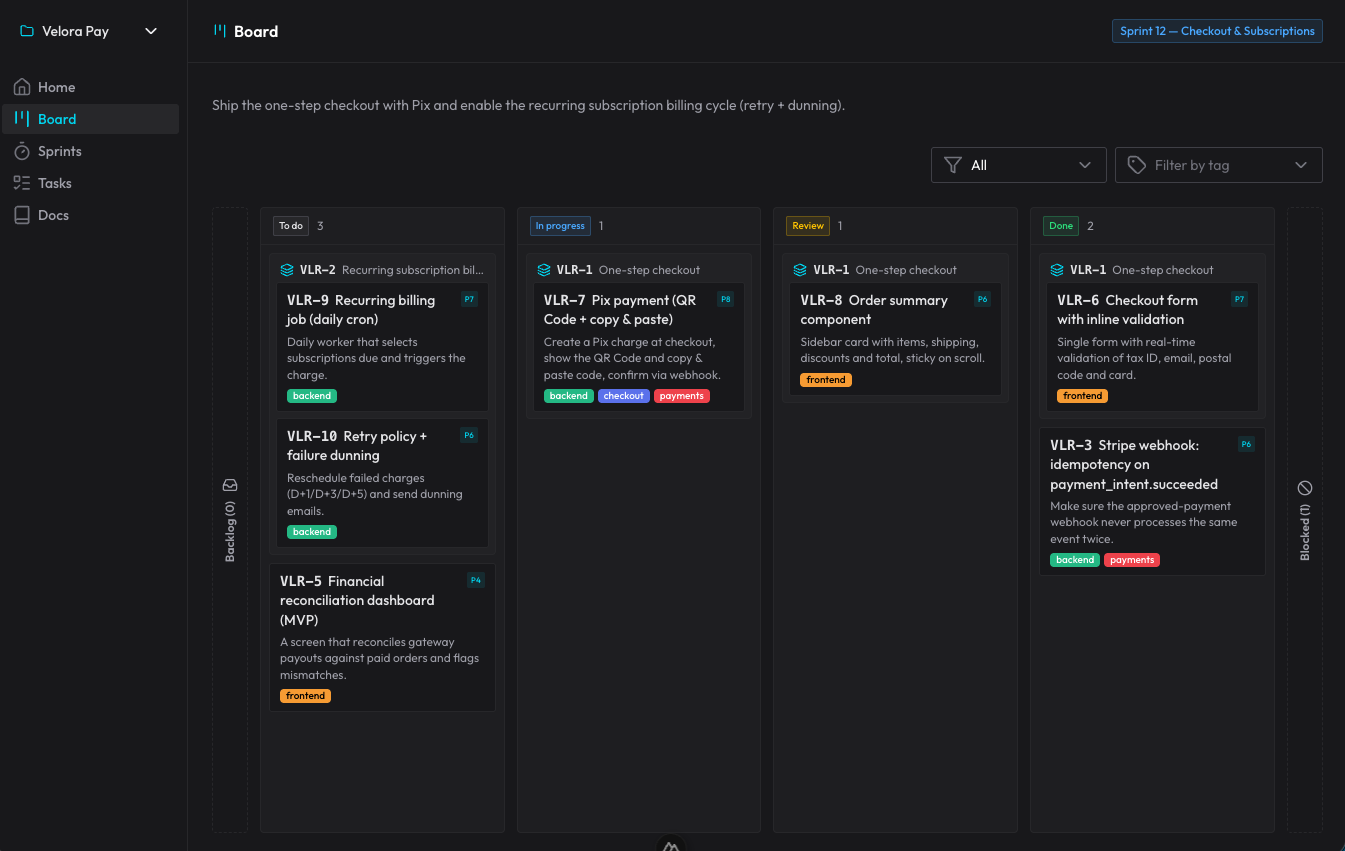
The whole flow runs through skills + MCP. There are five skills that trigger from what I say, without me calling any by hand: one to orient and operate the board, one to plan a new demand into sprint/stories/tasks, one to execute a card through its lifecycle, one for review (a mandatory gate, run by a fresh subagent, that checks the acceptance criteria and hunts for bugs), and one for autopilot to advance on its own through several ready cards. The durable documentation — architecture, decisions (ADRs), patterns — lives in the organizer’s own docs, which the AI reads before reinventing.
How it works in practice
The real turning point, for me, was this: because what was planned lives in the organizer and not in the session, I can execute each task in a completely clean session, without losing quality. The agent opens, reads the board, understands where it is, does the work. It doesn’t matter if the previous context has already evaporated — the plan wasn’t in its head, it was in the database.
That solves both ghosts at once: the execution order (what depends on what is explicit in the blockers) and the hallucination (it starts from what was decided, not from a vague memory). And it lets me run several fronts at the same time, sequentially or in parallel, without getting lost.
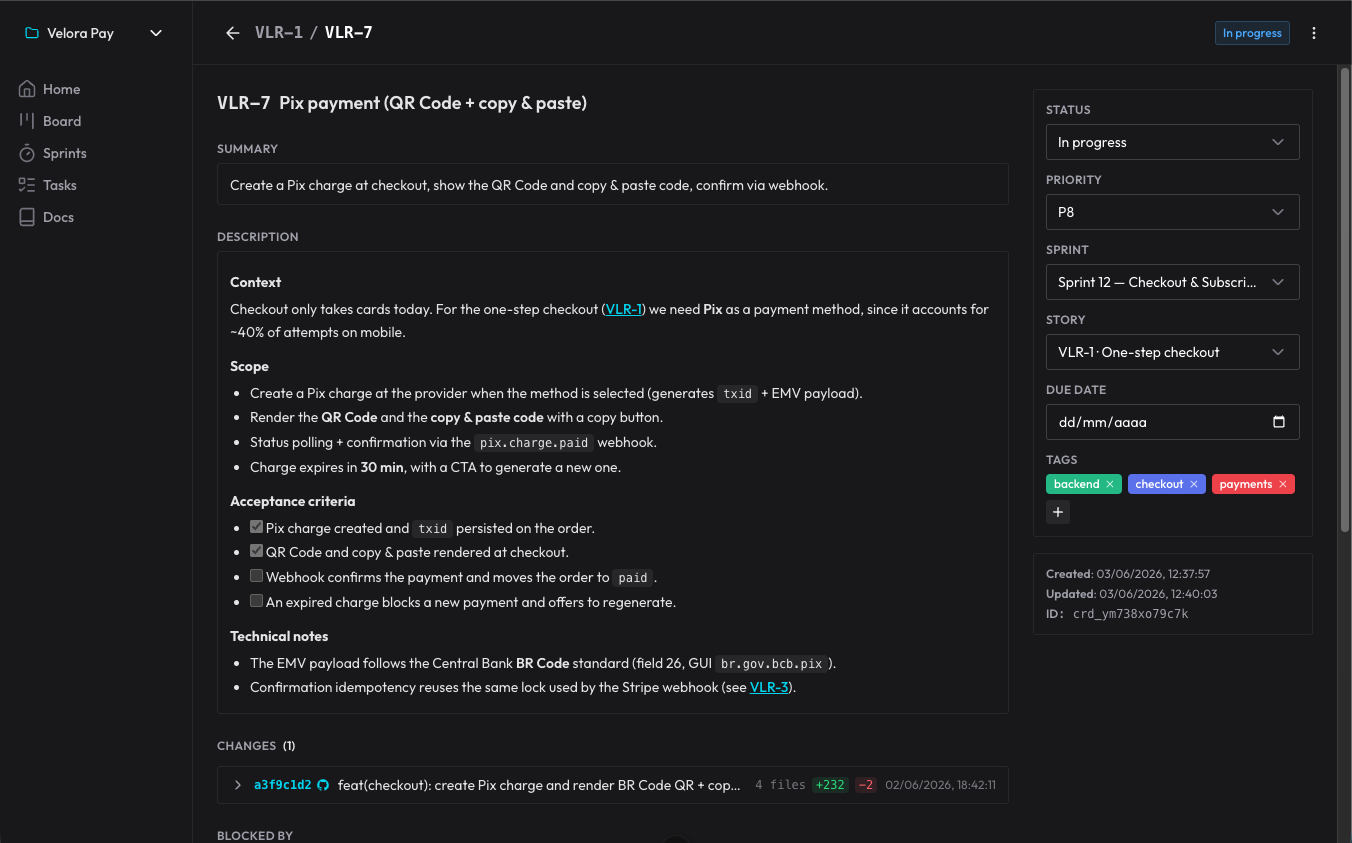
Decisions don’t get lost because they become comments on the card: the agent records why it did something a certain way, and I reply right there. Next session, it reads the comments it hadn’t seen yet and picks up from that point. It’s a decision log that survives the end of each conversation.
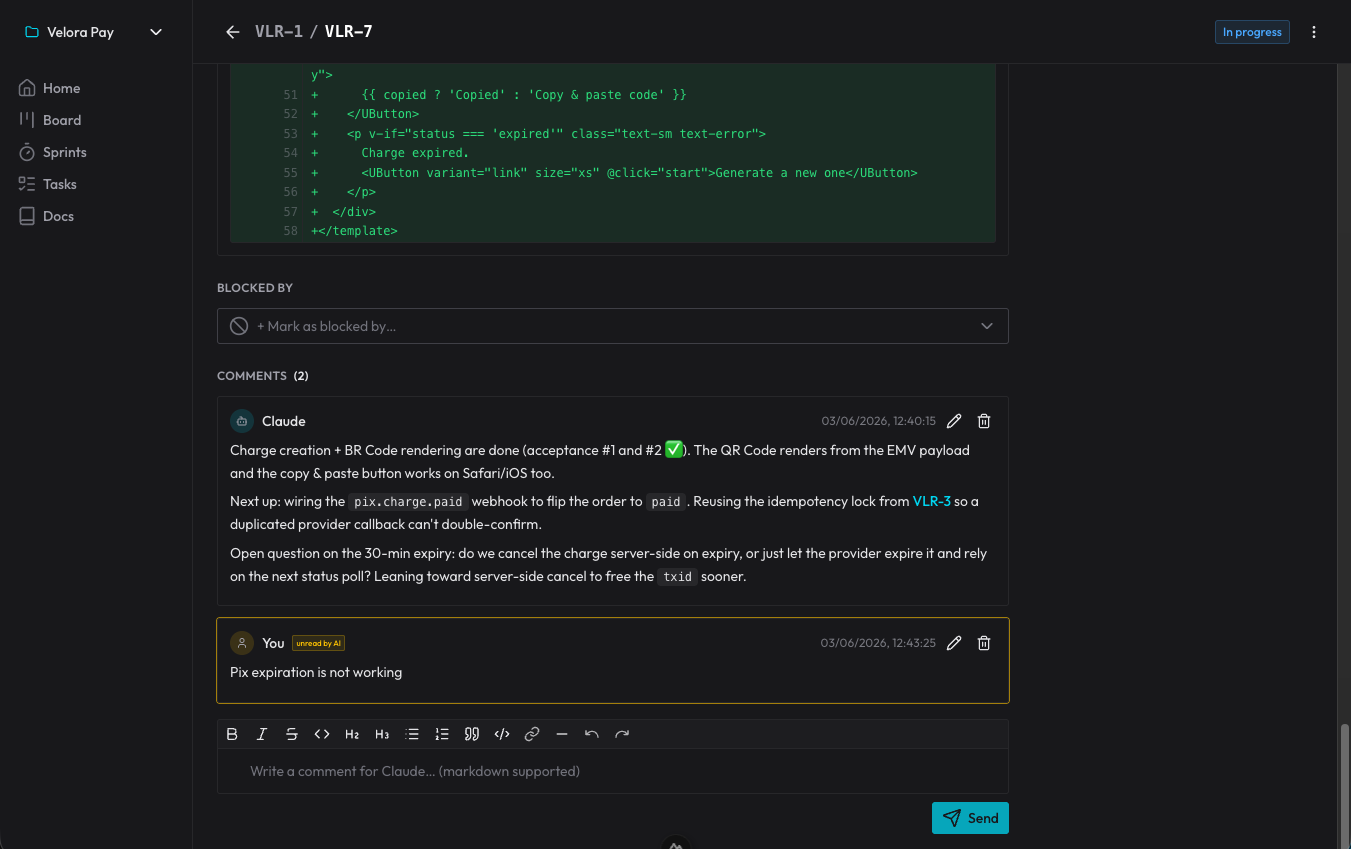
The nicest side effect: the repository went back to being just the product. No spec folders fattening up git. The “what to do and why” lives in the organizer, reachable from any session; the code lives in the repo. Each thing in its place.
How to get started
It runs as a Claude Code plugin (the five skills + the MCP server), with the whole stack in Docker. To bring it up:
1. Bring up the stack (Postgres + migrations + API + UI + MCP, in one shot):
git clone https://github.com/fmilioni/claude-organizer.git
cd claude-organizer
cp .env.example .env
docker compose up -d --build
The UI lives at http://localhost:4401, the API at :4400 and the MCP at :4402/mcp. Migrations run automatically before the API starts.
2. Install the plugin — it delivers the skills and registers the MCP, with no need for claude mcp add:
/plugin marketplace add fmilioni/claude-organizer
/plugin install claude-organizer@claude-organizer
3. Talk to Claude. Just say it. “I want to plan such-and-such feature” triggers the planning skill; “let’s continue, what’s next?” makes the AI read the board and pick up where it left off. The skills trigger from what you say — you don’t need to memorize any command.
The project is open source (MIT). You can run it 100% locally with Docker or host it on a VPS and point Claude Code at it.
I want to know how you organize this
This is, deep down, the bridge that interests me most: bringing the process discipline engineering already has into the new way of building, with AI at the wheel. claude-organizer is my attempt to close that gap — and it was born from a real pain, from watching good work get lost between one session and the next.
So how have you been dealing with this? Dumping everything into a spec file? Trusting the model’s memory? Got a flow that works? Tell me in the comments — I’d really love to hear how other people are solving this same problem.
And if you want to try it, the code is all open: clone it, test it and contribute on GitHub. Feedback and PRs are very welcome.